

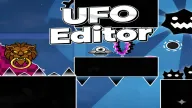
Become a true game creator in UFO Editor, allowing you to design your own unique versions of Geometry Dash with your own personal touch. This platform maximizes your imagination and design skills, providing endless creative fun.
UFO Editor – Personal Level Creator Edition
The game opens with a design interface that allows players to customize from simple layouts to highly challenging levels with countless impressive interfaces. Each level can be transformed with a series of different elements such as height, obstacles, lighting effects and music beats. With a flexible arsenal of tools, players can create countless maps, obstacles and sound effects as desired. When finished, just press the Play button to challenge your design.
Game Controls
- Use your mouse or finger to choose the background color, scene and sound effects.
- Drag and drop objects into the desired position to create your own structure.
- Use the double arrows to change scenes and expand the building area.
- The trash can button lets you delete objects you want and fine-tune the map.
How to Master The UFO Editor Game?
Start by creating simple levels to get a feel for the mechanics of object placement and music composition. Then try out a more creative level to see how sound, color, and movement interact to create a feeling for the player. Once you get the hang of it, you can try designing more challenging levels to see how your skills are faring. Are you prepared to create your own geometric world?

